
European Roulette Analysis App
Your calm analyst at the table
Enter roulette results, get recommendations and track capital in real time — without emotions or rush.
ABOUT THE PRODUCT
What is Roulette Tracker X?
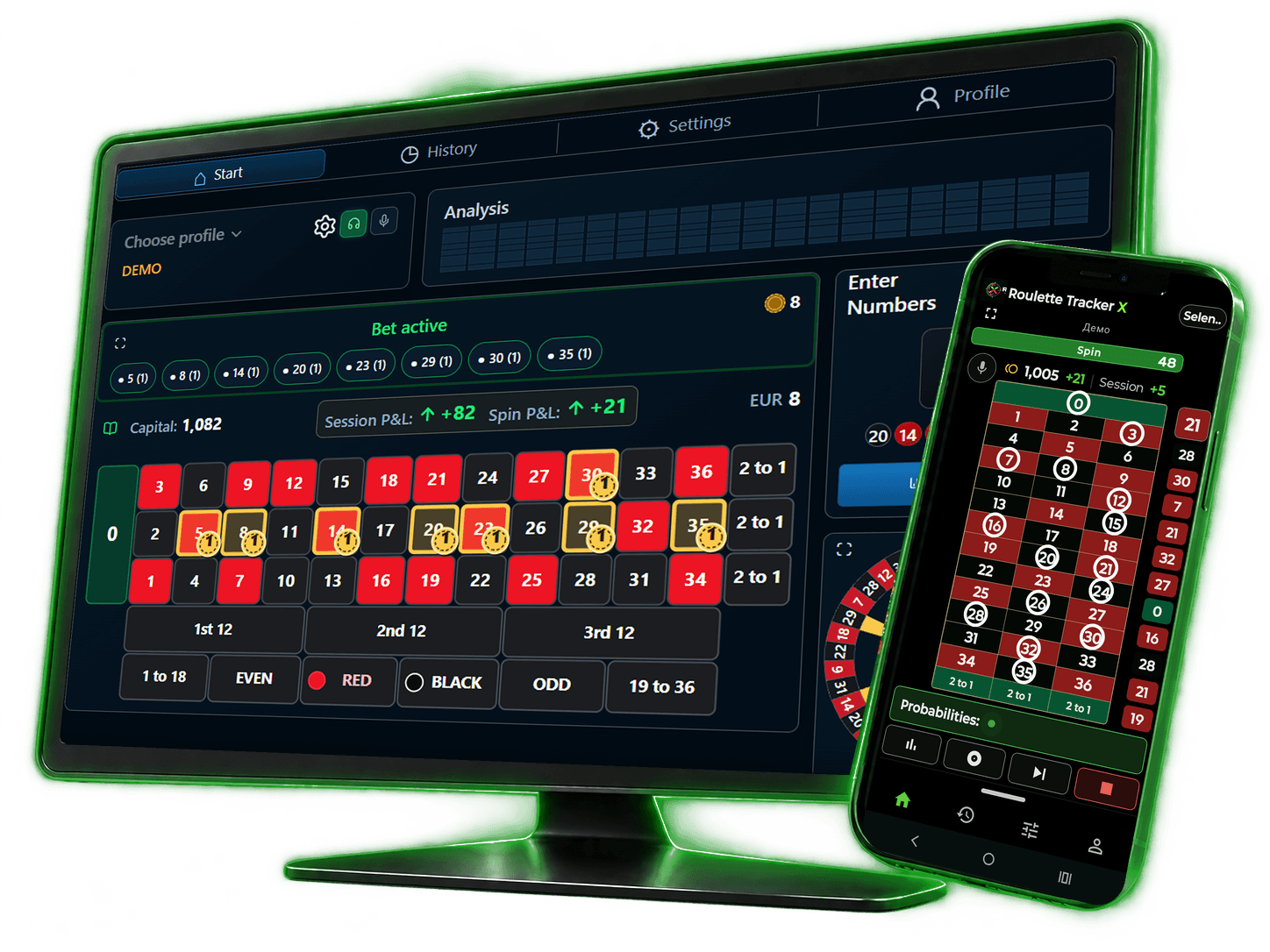
Roulette Tracker X is a tool for European roulette analysis and session tracking. You enter the numbers that land, and the system evaluates sequences, repetitions and number distributions, providing recommendations throughout the session.
Statistics, recommendations and capital movements are brought together in one interface. Follow the session and compare decisions with the results obtained.
Designed for manual tracking at a European roulette table in a physical casino. You enter the numbers that land; Roulette Tracker X organizes statistics, session history and bankroll changes. It does not connect to casino systems or place bets automatically.
What the system does
Processes the histories of all gaming sessions
Updates analytical evaluations after every number
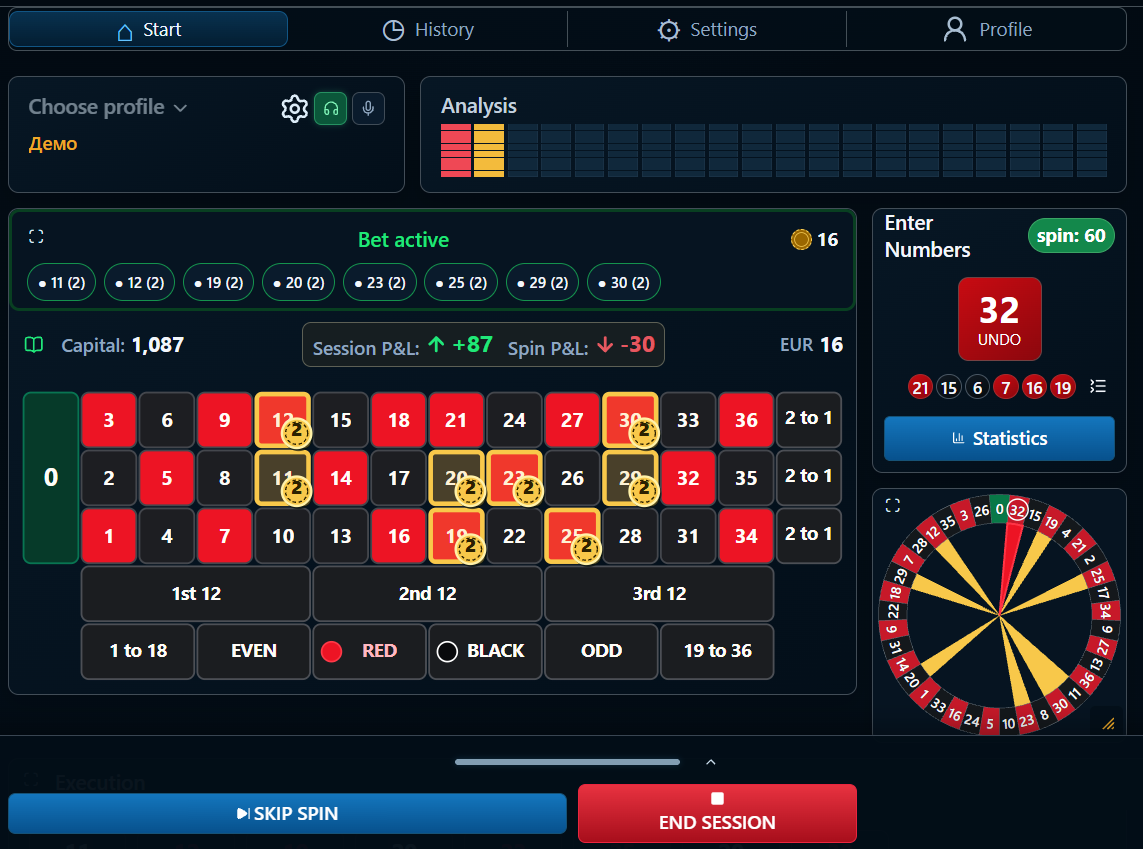
Shows recommendations and bet composition
Respects table limits and all user settings
Analytical modules
Five approaches to the same session. Each module evaluates the results you enter using its own method, so you can compare their analytical evaluations.
Mathematics
Statistical analysis of number frequencies, groups and wheel positions across several time windows. Combines these views into one evaluation.
XGBoost
A gradient-boosted tree model trained on the current session’s history. Rebuilds its model as new results arrive and can also work alongside Mathematics.
CatBoost
A separate boosted-tree model using number counts and the last result as a category. Trains on the current session and requires at least 37 results.
XBoost AI
An independent statistical model combining frequency, recurrence, context and wheel/table geometry. Adjusts each method’s weight as the session develops.
Boost AI
A separate model using the full session history. Combines statistical views with weights learned in advance, then evaluates the current session.
Meet the interface
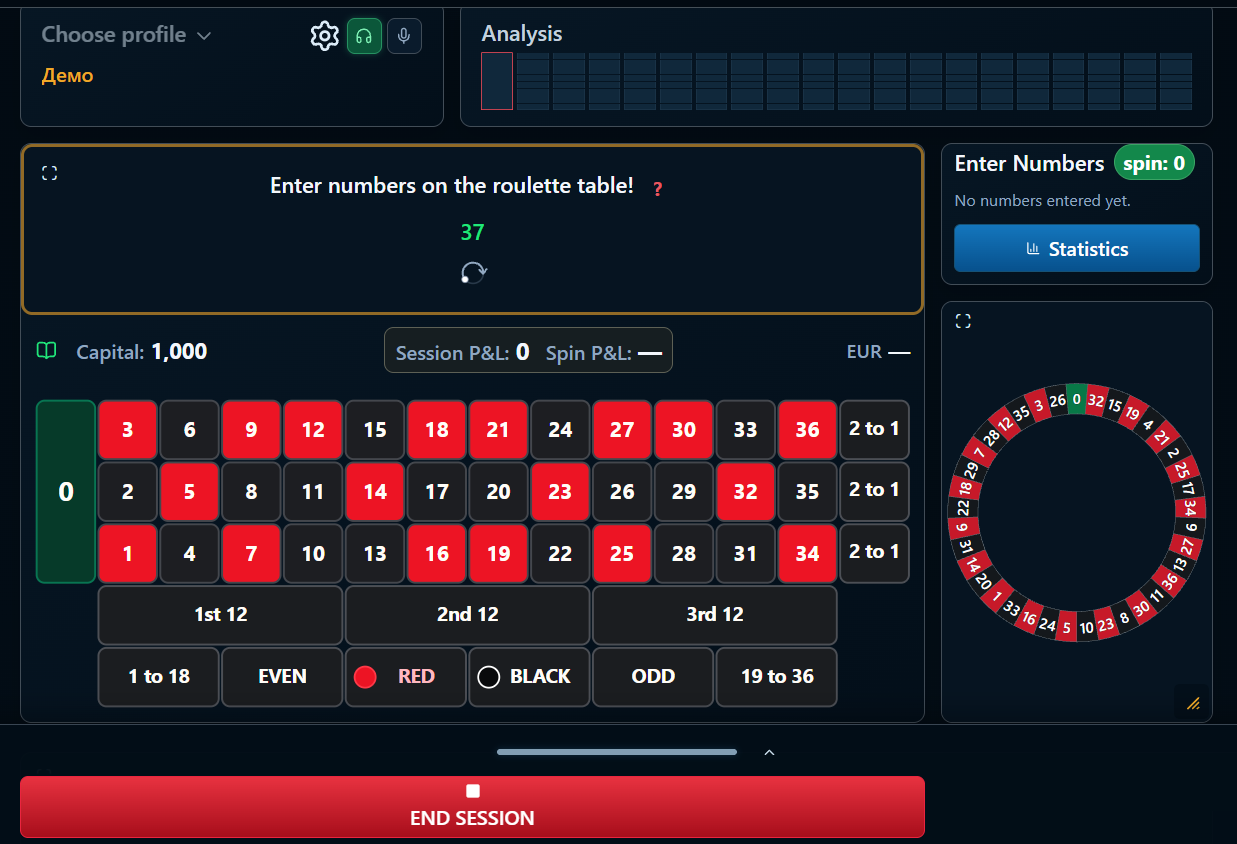
Web
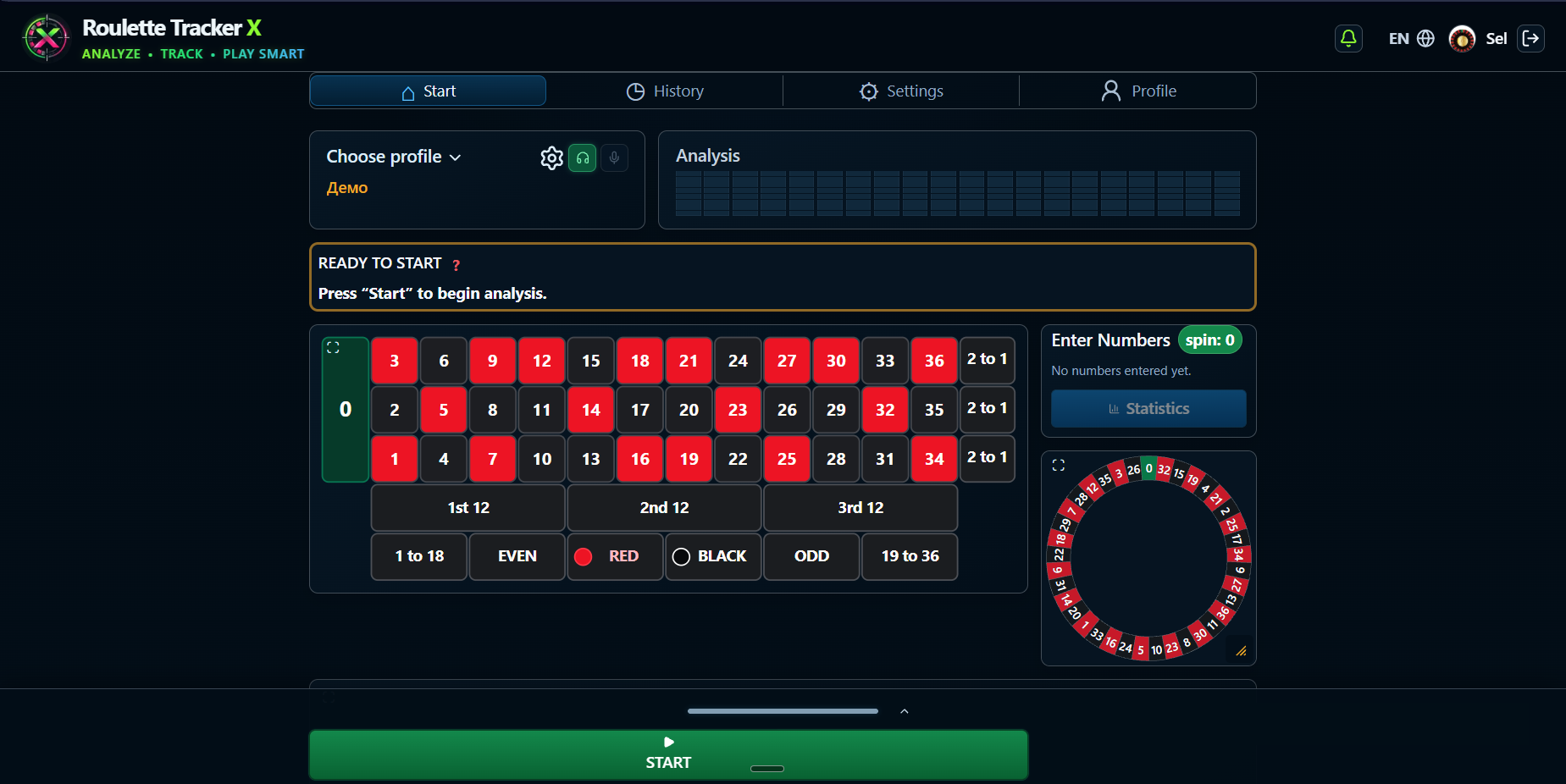
Before the session starts
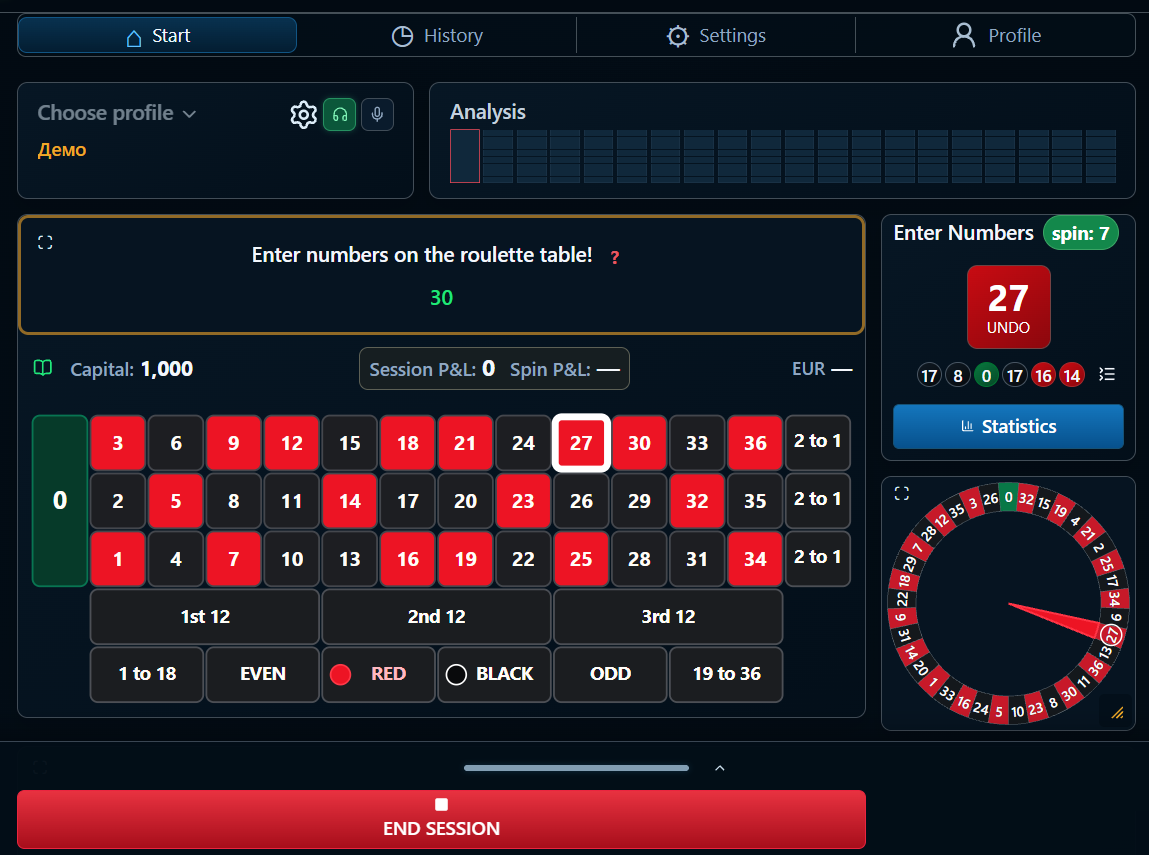
The main app screen before starting: profile selection, the analysis area and the input area for roulette results.
Mobile
Before the session starts
The main app screen before starting: profile selection, the analysis area and the input area for roulette results.
Your entire session under control
Set your parameters in advance. Track the results. Decide when to end the session.
One session on three devices
For convenience, you can use a computer and two mobile devices in the same session. Connect your devices and choose the way of working that suits you.
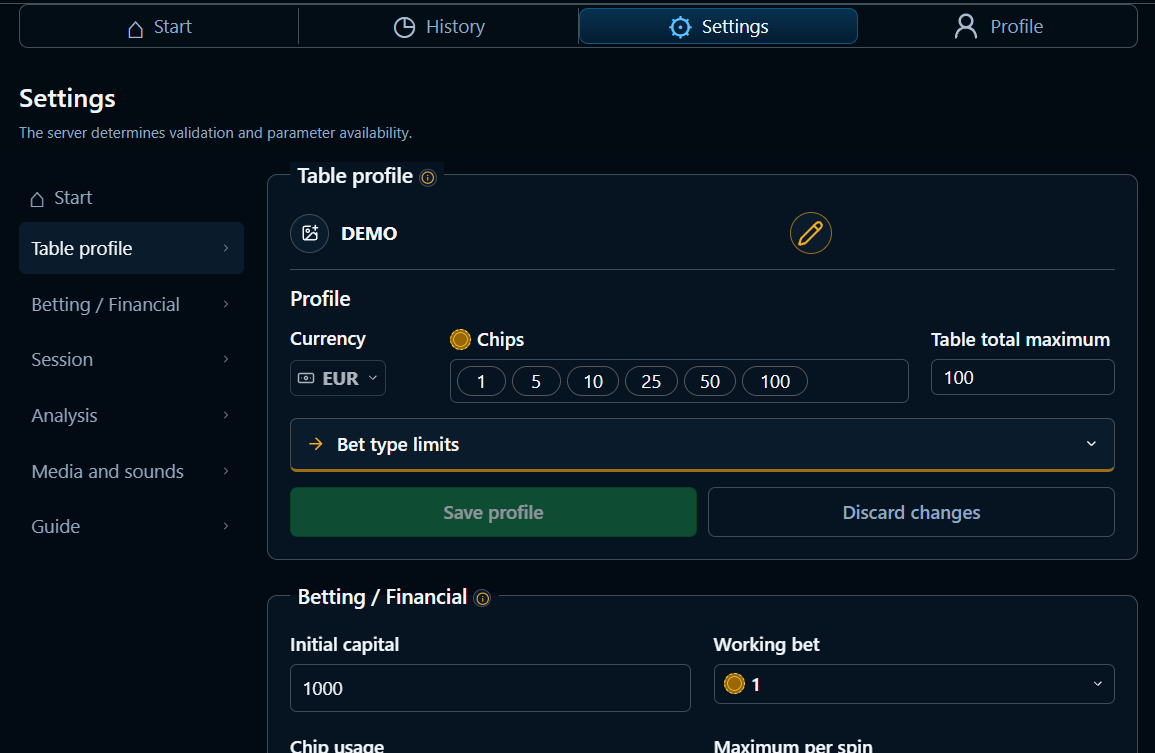
Set your parameters
Starting capital, working bet and table limits.
Track your results
Current capital, the result of the last spin and the entire session.
Review your goals
A profit target and loss limit help you assess when it is time to stop.
Answers to common questions
Major update announcement
Join the closed test of the Roulette Tracker X app on Google Play
Get to know Roulette Tracker X
Open the app, set your parameters and explore the analysis tools.
